

Digital performance assessment for the built environment
Transformation starts with accurate measurement
Ministries and agencies use assessor.io to run assessment campaigns across an entire industry: thousands of firms, answering in their own languages, and one clear picture of where the sector stands and what to do next
- A pre-qualification round for eighty suppliers
- A national digital roadmap survey
- Competency profiles across nine countries
- A maturity benchmark of every licensed consultant
- An annual transformation survey
- A certification programme review
- Policy readiness across a region
Public campaigns
Open now to all
- 18+ Countries covered
- 140+ Campaigns launched
- 1000s Completed assessments
The platform
Three parts that fit together
Every campaign, however large, is built from the same three pieces. Change the method and the questions; the machinery for running it at scale stays the same
01Campaign Manager
Campaigns, registrations, roles, analysis reports, benchmarks and logs. The operational side: who takes part, who runs it, and what came out
02Assessment Builder
Templates, questions, answer lists, scores and weights, custom fields, conditions and translations. The instrument itself, in every language you enable
03Semantic Core
Statements, terms, topics, metrics and methods. The shared vocabulary that makes an answer in one region comparable with an answer in another
Campaign Manager
Run interconnected campaigns at any scale
A campaign can hold many assessments, answered by different people, organisations and groups, each opened or closed by what was answered before. Campaign Manager is where you set that structure, bring people in, decide who sees what, and follow every wave to completion
Try the rules
Draft v4 · Published v3
Organisation profile
One answer per organisation
Discipline questionnaire
Each participant
Project-team pre-qualification
One answer per project team
Change an answer and watch what each participant is offered. In the product, publishing reports how many people’s availability moved
Campaign Builder
See a campaign as boxes and arrows: which assessments it holds, who answers each, and the rules that make one mandatory, optional or hidden depending on earlier answers. Describe the structure in a sentence and an assistant drafts it, checked exactly as your own edits are
Draft, check and publish. Nothing changes for participants until you publish
Read the guide (opens in a new tab)The assessment lifecycle
Activate
Decide what matters, and who
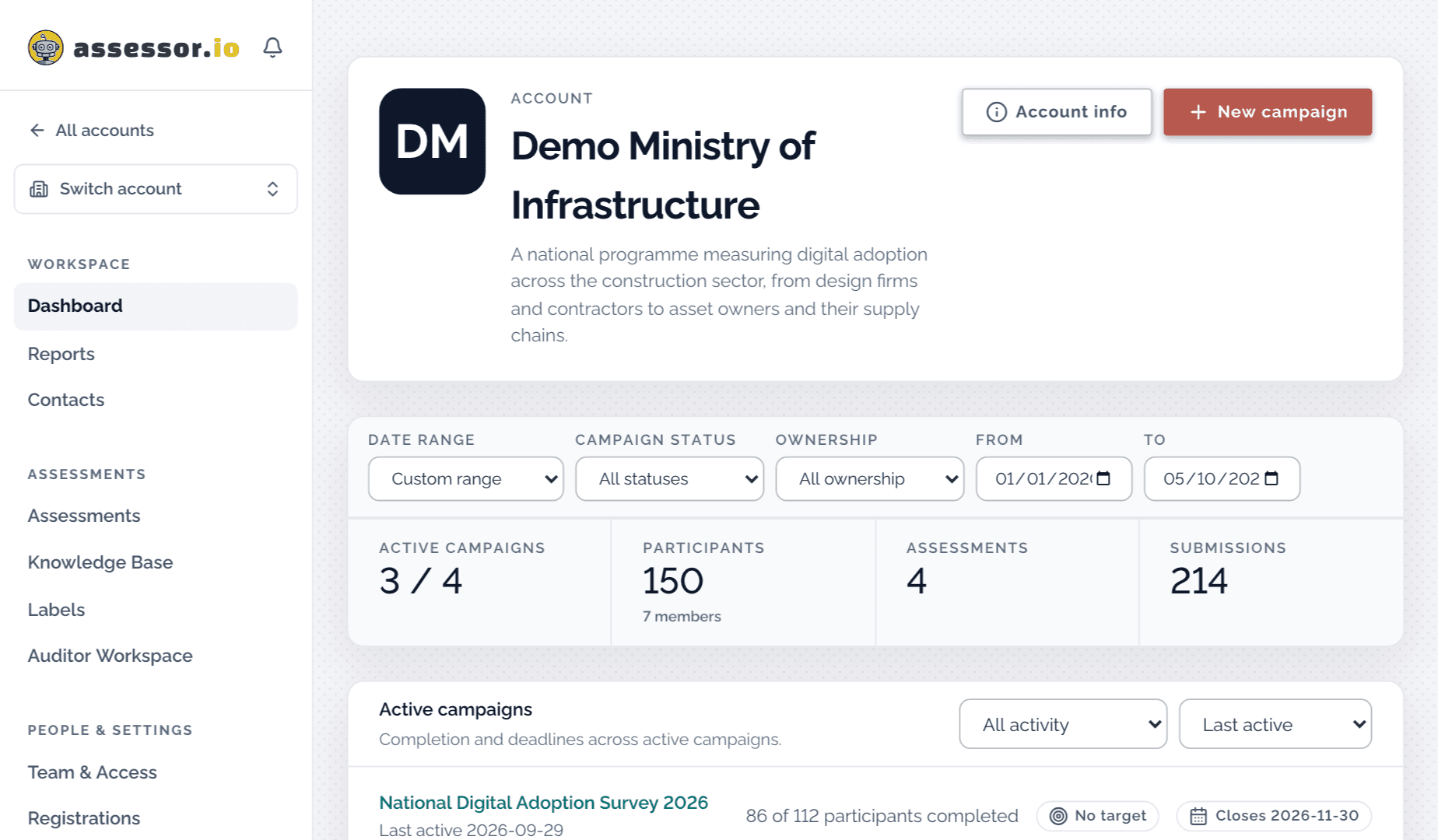
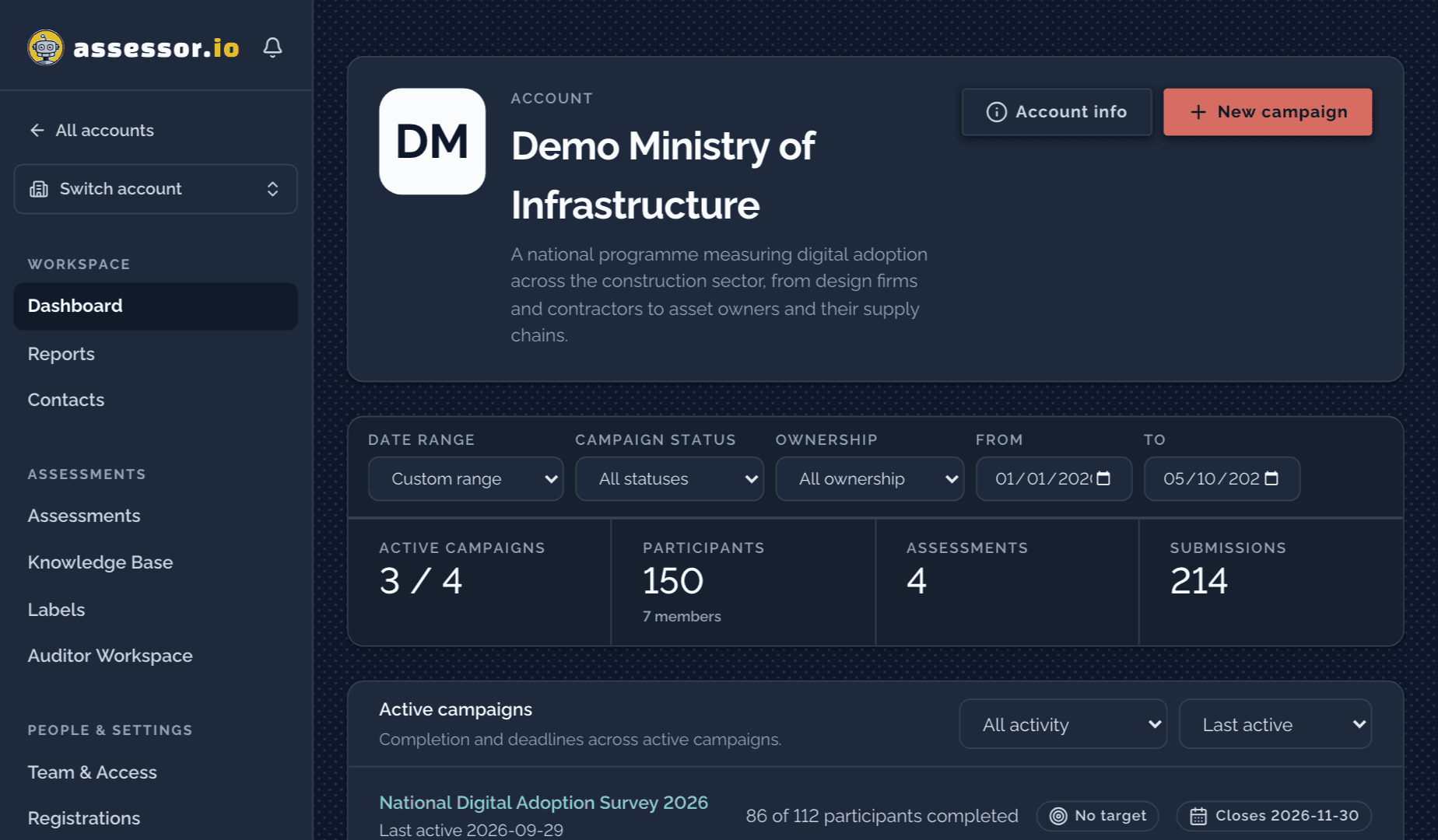
Pick the method: a maturity model, a competency set, a policy survey. Then stand up the campaign: a branded page in your languages, an application form for firms that want in, and the colleagues who will run it. An assistant can pre-sort applications against rules you write in plain language, so a thousand applicants is a morning’s work rather than a month’s
Assess
Ask the whole industry the same question
Firms answer in the language they work in. Progress saves as they go, so a busy practice can pick up where it left off. Every question is built from shared statements, so an answer given in one region means the same thing in another, and the same thing next year
Analyze
Turn answers into a picture
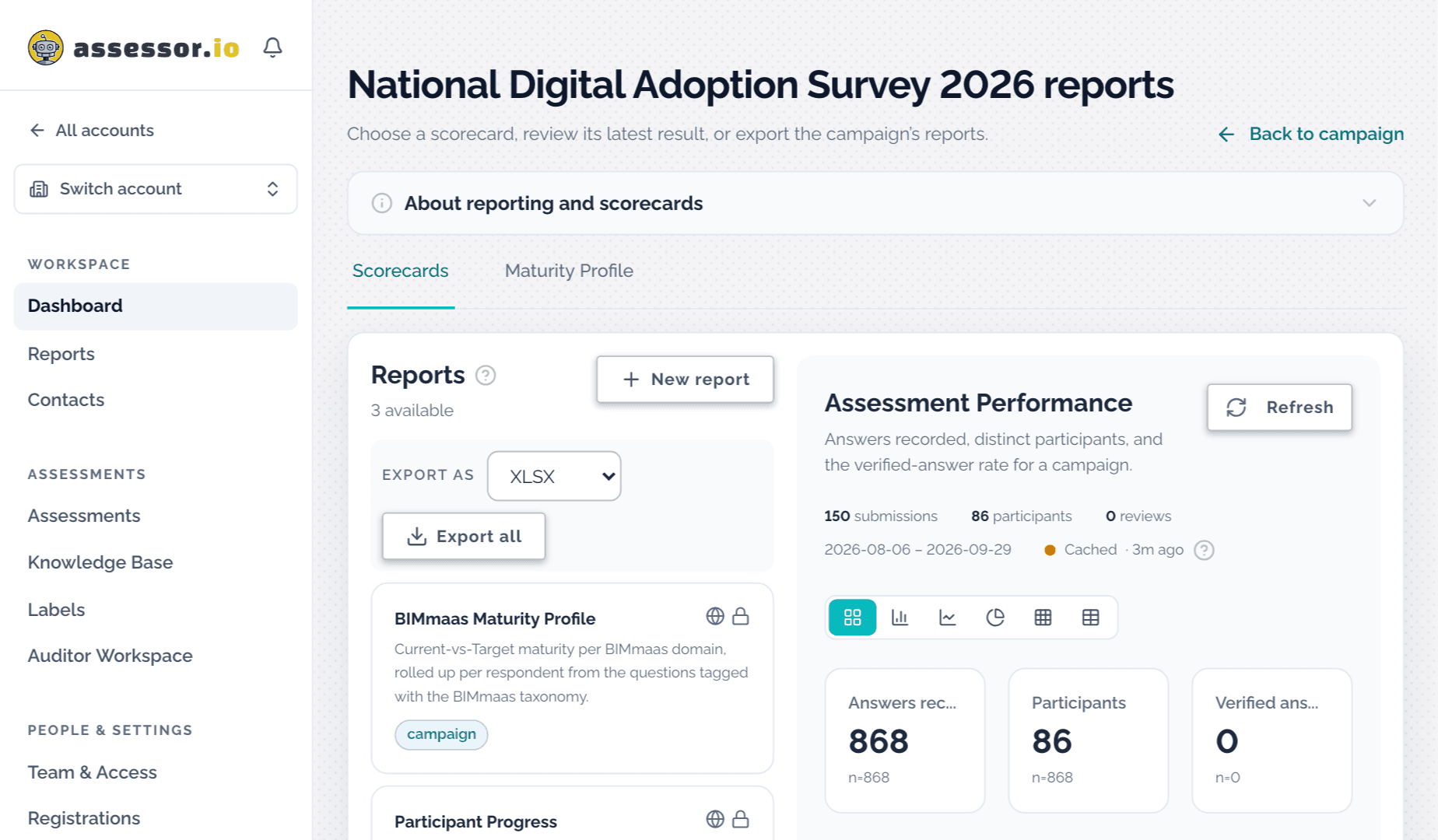
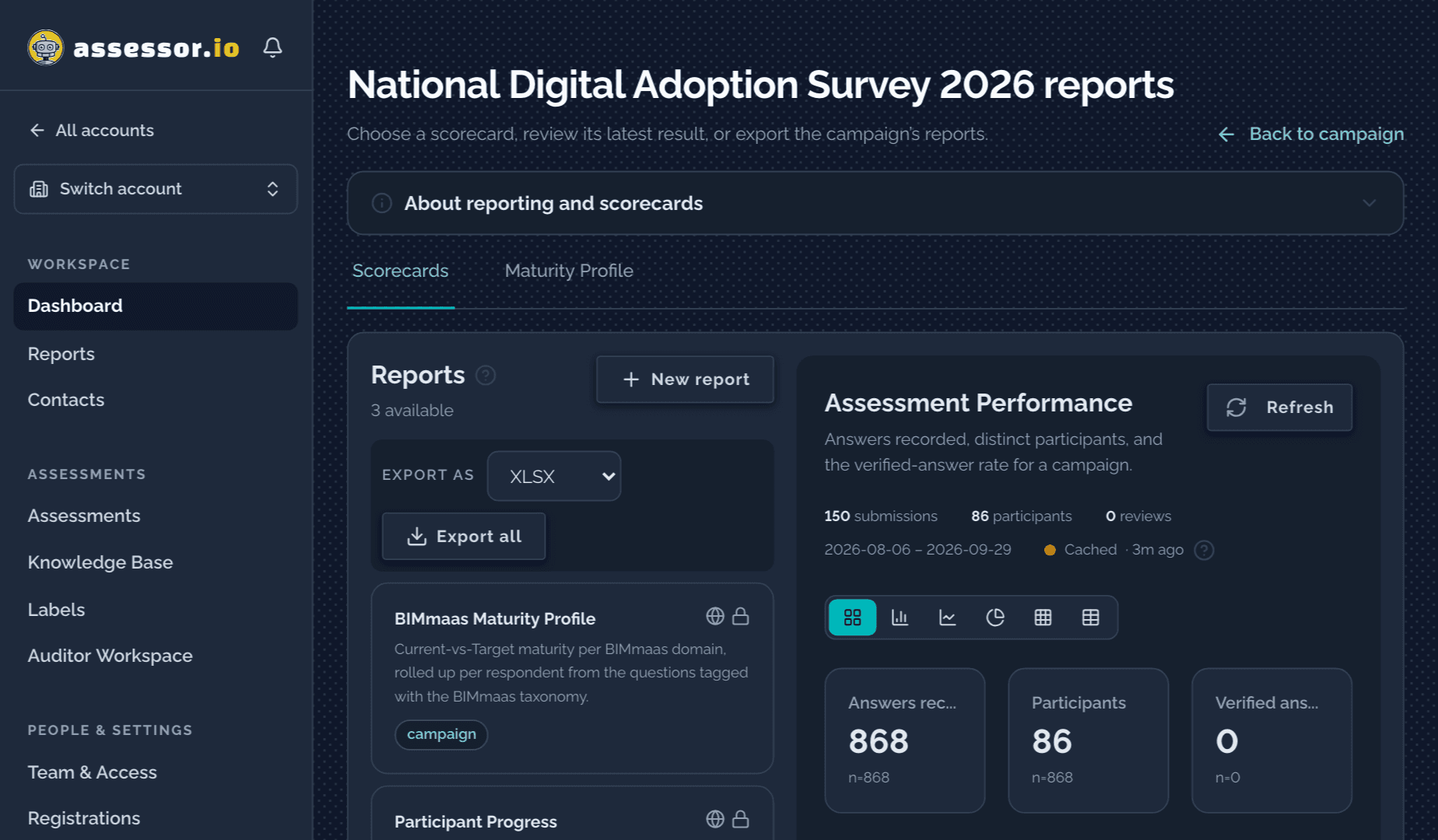
Scorecards compute themselves as submissions arrive: maturity by domain, competency by topic, progress by firm. Auditors check the evidence behind the answers, and their corrections flow through to every chart and export
Achieve
Hand people a roadmap, not a ranking
Each participant sees where they stand and what to work on next. You publish what the sector should see, aggregates by default with small groups protected, and keep the detail for the people who need it
Again
Run it again, wider
Reopen the campaign a year on, add the firms who missed it, and watch the sector move. The templates, translations and roles are already there, so the second campaign takes a fraction of the effort of the first
What you can assess
One yardstick, from a single practitioner to a whole country
The same competency set can be put to an individual, a firm, a project team or an entire market. Because the questions and their scoring stay the same, results at one scale roll into the next
Markets
Countries and regions
Measure adoption across a whole jurisdiction, then repeat the study to show movement
Organisations
And their supply chains
Compare practices across a group, a supply chain, or every licensed firm in a sector
Projects
And project teams
Pre-qualify a team against the requirements of a specific project before award
Individuals
Practitioners and students
Build competency profiles that show a person where they stand and what to learn next
Campaigns run for
- Compliance against an adopted standard
- Training and capability gap analysis
- Project-team pre-qualification
- Market-wide adoption and policy studies
- Certification readiness
- Annual transformation surveys
Assessment Builder
Turn a brief into a working assessment
Start from a contract, an information requirements document or a standard, and the builder drafts the assessment with you: each obligation found, measured and asked about. Machine learning does the drafting and every question traces back to the clause it came from. People approve the result
Build from a brief
Choose who does the work
The assistant helps when you ask, one row at a time. You accept, edit or reject each suggestion
The appointed party delivers a federated information model at each stage gate
Deliver federated information models at defined project milestones
How does your team deliver federated models at each stage gate?
The mode changes who does the work. The rows you review stay the same, and the assistant never approves its own output
Suggested tags, with reasons
Each scored question is tagged by domain, theme, tier and thread. The assistant proposes tags with a confidence and a reason; you accept one at a time or all above a threshold
Tagging that reports can score
Versions that stay comparable
An active version is fixed, so every campaign that used it reports on the same questions. Improvements arrive as new versions
Draft · Active · Archived
Checks before anything goes live
Every issue is ranked and explained with its fix. A scoring dry run and a simulation of every delivery path confirm that no scored question is hidden from everyone
Templates are always created as drafts
The Studio
Edit pages, panels, answer lists, scores and weights, custom fields and branching conditions visually, and ask for evidence uploads where an answer needs proof
Visual editing, with JSON underneath
Portable templates
Export any template as JSON and import it elsewhere, or receive templates pushed from other BIMe tools
JSON in, JSON out
Translate once
Translate a template into each language the account enables. Machine drafts stay marked until a person reviews them, and a change to the source flags every translation that needs updating
Reviewed translations reused across campaigns
Semantic Core
The research, language and metrics underneath
Every question is built from shared statements, linked terms, topics and scoring methods drawn from published research. That shared foundation is what lets a result sit beside another firm’s, another country’s, or the same question asked next year
One assessment item
Do you establish the project’s information requirements?
Hover or tap the marked words. The attributes stay the same in every language
Information Requirement
BIM Dictionary term
A "specification for what, when, how and for whom information is to be produced" ISO 19650-1 (3.3.2) which is generated primarily by the Appointing Party and then extended by the Appointed Party. There are complementary types of information requirements including: Organizational Information Requirements (OIR), Asset Information Requirements (AIR), Project Information Requirements (PIR), Exchange Information Requirements (EIR), and Security Information Requirements ISO 19650-5
Open the entry in the BIM Dictionary (opens in a new tab)- Action
- establish
- Linked term
- Information Requirement
- Topic
- Tendering and procurement
- Level
- Activity
- Label
- ISO 19650 Part 2
- Scale
- Project
- Role
- Information Manager
- Statement type
- Do
Shared statements
Questions are built from a library of statements, each carrying its action, topic, level, role and scale. The same statement can be asked in any template, in any language
Canonical, candidate and account statements
Linked dictionary terms
Technical terms inside a question link to their BIM Dictionary definition, so a participant reads the intended meaning in their own language without leaving the page
Defined terms, not guessed ones
Topics and competency sets
Statements and questions are organised into domains, themes, tiers and threads, and into competency sets that describe what a role or an organisation should be able to do
The structure every scorecard reads
Metrics and scoring methods
Maturity levels, competency scores and weighted models turn answers into figures. Reviewed answers take precedence over the original, and drafts are never scored
Weighted average, sum, maximum, minimum
A shared ontology
Statements are held in the BIMei Ontology as canonical or candidate entries, so the vocabulary behind every account can improve in one place
One vocabulary across the BIMe tools
Grounded in research
Methods, metrics and statements come from peer-reviewed research and published standards maintained by the BIMe Initiative, rather than from each campaign’s own wording
The BIMe Method, named once and used throughout
Reporting
Reports delivered as apps, connected to your results
Scorecards and dashboards inside the platform compute as submissions arrive. For deeper analysis, dashboards are built as separate apps, by ChangeAgents AEC or by your own team. They connect to assessor.io through the public API or through regular exports, depending on your requirements and security rules
From assessor.io to your apps

assessor.io
- Campaigns
- Participants
- Submissions
- Reviewed answers
- Scorecards
# token scope: submissions:read
GET /api/v2/public/accounts/{accountId}
    /campaigns/{campaignId}/submissions
Authorization: Bearer asr_…

{
  "success": true,
  "data": [
    { "id": "…",
      "assessmentId": "…",
      "unitKey": "organisation:…",
      "status": "completed",
      "submittedAt": 1789377120000 }
  ],
  "meta": { "total": 1, "answersIncluded": false, … }
}
Public API
Read campaigns, participants, submissions and exports over a service token scoped to your account. Reading answers needs its own permission, separate from reading counts
Illustrative request. The path, scope and field names follow the public API reference
// an assistant calls a typed tool;
// the MCP server holds the token
asr_list_submissions({
  accountId: "…",
  campaignId: "…",
  status: "completed"
})

→ [ { "id": "…",
      "assessmentId": "…",
      "status": "completed",
      "submittedAt": 1789377120000 },
    … ]
MCP server
The same API as typed tools for an AI assistant. The server holds the token, so the assistant can query results or assemble a report without ever seeing the credential
Illustrative call. The tool and its arguments follow the MCP server reference
POST https://your-system.example/hooks/assessor
Content-Type: application/json
X-Assessor-Event: assessment.submission.created
X-Assessor-Delivery: …
X-Assessor-Timestamp: 1789377120000
X-Assessor-Signature-V2: t=1789377120000,sha256=…

{
  "id": "…",
  "eventId": "…",
  "event": "assessment.submission.created",
  "accountId": "…",
  "timestamp": 1789377120000,
  "payload": { "submissionId": "…", "campaignId": "…", … }
}
Signed webhooks
Your systems are told shortly after an assessment is submitted or a participant joins. Each delivery is signed so you can verify it came from assessor.io, and retried if your endpoint is down
Illustrative delivery. The headers and fields follow the webhooks section of the public API reference
campaign_{campaignId}_report.xlsx

Sheets
  Summary · Participants · Submissions
  Notes · Codebook · ShapeReport

Submissions: one row per submission
  submissionId       assessmentName
  assessmentUnit     unitKey
  participantEmail   organisation
  participantRole    participantStatus
  labelsCsv          status
  submittedAtIso     completedAtIso
  ans:<question>     ans:<question>::<row>
Exports
For programmes whose security rules keep data transfers manual
Column names as the campaign results workbook writes them; its Codebook sheet describes each one. Scorecards download as XLSX or CSV
- Macro Adoption Dashboard (opens in a new tab)Live example
BIM adoption across countries, from the Macro Adoption studies
Public benchmark page
Aggregate results the industry can see, small groups protected
Firm roadmap app
Each organisation’s own result and what to work on next
Examples of apps built on the platform
Six ways to use the results
- In-app scorecards
- Competency and maturity scorecards for a participant, an organisation or a whole campaign, as KPI, bar, line, pie, heatmap or table views, recomputed as submissions arrive
- Public API
- Campaigns, participants, submissions and exports over scoped, rate-limited tokens. Access to answers is a separate permission from access to counts
- MCP server
- The same API as typed tools for AI assistants, so an assistant can query results or assemble a report while the access token stays on the server
- Signed webhooks
- Your systems are told when an assessment is submitted or a participant joins, with signed deliveries that are retried when your endpoint is down
- Embeds
- Place the assessment itself, or a published results widget, inside your own website or portal, branded and restricted to the sites you register
- Published results
- A read-only public link for the results you choose to share: aggregate by default and, when answers are included, participants numbered rather than named unless you choose otherwise
Works with the BIMe Initiative
Integrated with other BIMei Tools, for more complete coverage
assessor.io works alongside other specialised tools of the not-for-profit BIMe Initiative. Each one feeds the assessments you run, or takes their results further

Shared glossary
BIM Dictionary
A shared glossary for a common understanding across the built environment: hundreds of vetted terms, each with its description, translations, localisations and connections to related terms
bimdictionary.com (opens in a new tab)
Canonical registry
BIMei Ontology
The canonical registry of the BIMei ecosystem, and the source of semantic consistency across assessment, analysis, learning and cross-domain implementation
ontology.bimexcellence.org (opens in a new tab)
Roles and competencies
Roles, Profiles and Flows (RPF)
An open-access solution for defining roles, competency profiles and activity-based flows. RPF produces evidence-based templates that assessor.io uses to compare individual performance against norms, project briefs and personal targets
rpf.bimexcellence.org (opens in a new tab)
Adoption analysis
Macro Adoption Dashboard (MAD)
An open-access platform for global digital performance studies, courses and reference material. MAD is an example of an analysis solution built on rich assessor.io data and other BIMei tools
mad.bimexcellence.org (opens in a new tab)
Built for public programmes
Multilingual, private by default, and open to your systems
Anonymised datasets
Choose what a published page reveals
| Submission counts per assessment | Included |
|---|---|
| Answer content | Not included |
| Names and email addresses | Not included |
| Participants appear as | Not shown |
The default. Counts of completed submissions per assessment, and nothing about individuals
What participants see (opens in a new tab)Multilingual
Each account enables its own languages, and questionnaires, emails and participant screens follow each reader’s choice. The interface runs in English and French today; questionnaires and emails also in Spanish and Brazilian Portuguese. Adding a language is translation work, not development
Strict privacy rules
Participants are told plainly who can see their answers. They can withdraw from a study at any time; administrators erase a response on request with a recorded reason; each campaign can set retention periods after which responses are deleted automatically
Free templates to reuse
Start from standardised self-assessments and a shared library of templates written from published standards and research, and adapt them question by question
CRM and ERP connections
Move participants into the built-in contact list and back, or connect your own CRM or ERP through the public API and webhooks
Your brand, your record
Your logo on campaign pages, questionnaires, printed results and every email. An activity log records who changed what and when, and exports as CSV
Documentation
Every screen has a guide
Step-by-step guides for administrators, campaign managers, auditors and participants are published openly, and kept in step with each release
Open docs.assessor.io (opens in a new tab)- Create a campaign, for Administrators (opens in a new tab)
- Draw a campaign in the Campaign Builder, for Campaign managers (opens in a new tab)
- Add people to a campaign, for Campaign managers (opens in a new tab)
- Run registration intake, for Campaign managers (opens in a new tab)
- Reports and scorecards, for Analysts (opens in a new tab)
- Publish results to a public link, for Administrators (opens in a new tab)
- Review answers and share feedback, for Auditors (opens in a new tab)
- What other people can see about you, for Participants (opens in a new tab)
Availability
Available worldwide through ChangeAgents AEC
ChangeAgents AEC licenses, configures and supports assessor.io in every country, except where a local partner represents it. Wherever you are, start with us and we will connect you with the right team
How a programme starts
Three steps before the first invitation goes out
Most programmes begin small and widen once the method holds. We work through these with you, then hand over the workspace

Discovery
Agree what the programme needs to answer, who will be assessed, and which competencies matter. This decides the question set and the shape of the campaign

Evaluation
Run the campaign: invitations or open registration, assessments in the languages you enable, and scorecards that build as submissions arrive

Auditing
Assign auditors to verify the evidence behind the answers. Corrections and notes flow through to every chart, export and published result
Contact
Tell us: what organisation, project or whole market do you want to assess?
Answer up to four short questions. We read your brief and reply within one business day with a starting point built around it
About two minutes · No account needed